
Running a business in 2026 isn’t just about getting customers. It’s about staying in control of your money and how you spend it.
I’ve seen too many people focus on traffic, content, and sales. But completely lose track of their finances behind the scenes. And when that happens, growth becomes messy fast.
After 10 years of blogging and managing multiple online income streams. I’ve learned one thing the hard way: if your numbers aren’t clear, your business isn’t yet stable.
That’s why tools like QuickBooks matter more than ever.
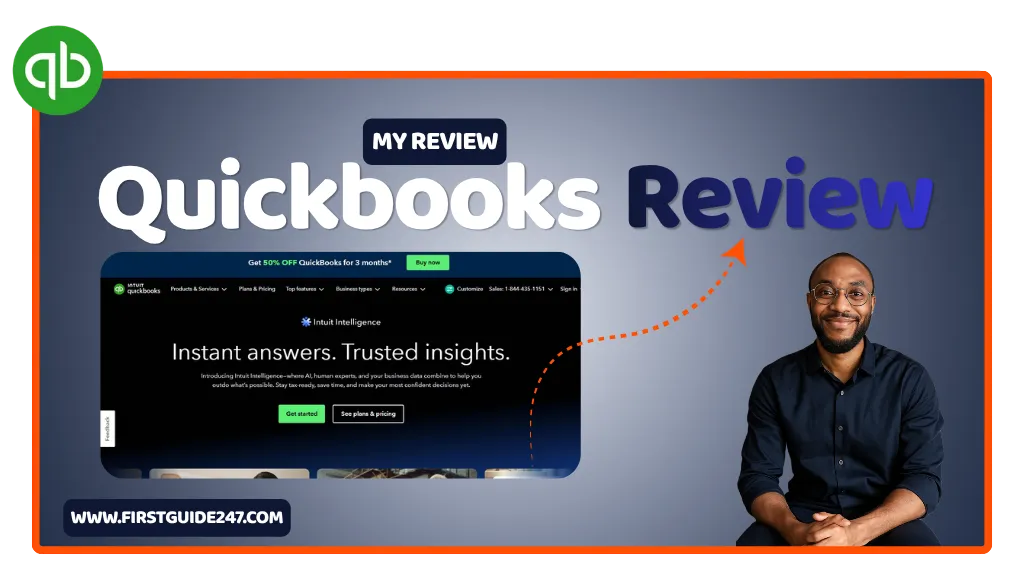
This is a sponsored review but as always, I only review tools I have personally used and trust. QuickBooks is one of them and in this review, I’ll show you exactly what it does well. Where it falls short, and whether it’s the right fit for you.
What Is QuickBooks?
QuickBooks is an all-in-one accounting platform designed for freelancers, small businesses, and growing companies.
Instead of juggling spreadsheets, invoices, receipts, and bank statements manually, QuickBooks puts everything in one place:
- Income and expense tracking
- Invoicing and payments
- Tax calculations
- Financial reports
- Payroll (on higher plans)
Quickbooks is built to simplify bookkeeping even if you’re not an accountant.
Do you want this tool?
Getting Started: Plans & Free Trial
QuickBooks offers multiple plans depending on how advanced your needs are:
- Simple Start: Perfect if you’re just starting out and need basic tracking
- Essentials: Adds bill management and multi-user access
- Plus: Includes project tracking and deeper insights
- Advanced: Built for scaling businesses with more complex workflows
There’s usually a free trial available, so you can test things out before committing.
From my experience, most bloggers, freelancers, and small business owners will do just fine with Simple Start or Essentials.
Dashboard: Your Finances at a Glance
The moment you log in, QuickBooks gives you a clear overview of your business:
- Total income
- Expenses
- Profit and loss
- Outstanding invoices
- Bank balances
It’s very simple, clean, and actually useful.
You don’t need to dig through menus to understand where your money is going. Everything is right in front of you.
Expense & Income Tracking (Where QuickBooks Shines Most)
This is where QuickBooks really earns its reputation from.
You can connect your bank account, and it will automatically imports transactions. From there:
- Categorize expenses
- Track recurring payments
- Monitor cash flow in real time
Over time, QuickBooks even starts recognizing patterns and suggests categories for you. Which saves a ton of time.
If you’ve ever tried managing finances manually. You’ll immediately feel the difference when using Quickbooks.
Invoicing: Get Paid Faster
Creating invoices in QuickBooks is straightforward.
You can:
- Customize invoice templates
- Add your logo and branding
- Set payment terms
- Accept online payments
The best part? You can track when clients view your invoices. No room for guessing if they “didn’t see it.”
For freelancers and service-based businesses, this alone is a huge win for you.
Taxes Made Less Painful
Let me be honest, taxes are where most people struggle.
QuickBooks helps by:
- Tracking deductible expenses
- Estimating your tax obligations
- Generating reports you can hand over to your accountant
If you’re in a place where tax rules can get complicated, having everything organized in one dashboard saves you from last-minute stress.
Reports: Understand Your Business
QuickBooks generates detailed financial reports like:
- Profit & Loss
- Balance Sheet
- Cash Flow Statements
These aren’t just numbers. They tell you what’s actually working in your business.
After years of blogging, I’ve learned this the hard way. If you don’t track your numbers, you’re just guessing around.
Automation: Save Hours Every Week
QuickBooks automates a lot of the repetitive work:
- Recurring invoices
- Expense categorization
- Payment reminders
- Bank reconciliation
This is one of those things you don’t fully appreciate until you stop doing things manually.
Who Is QuickBooks For?
QuickBooks is ideal for:
- Bloggers and content creators managing multiple income streams
- Freelancers handling client payments
- Small business owners who want clarity on finances
- Agencies managing cash flow and expenses
If money is moving in your business, you need a system. It’s has simple as that.
PROS
Easy-to-use dashboard
Strong automation features
Excellent invoicing system
Reliable financial reports
Scales with your business
CONS
Can feel expensive as you upgrade plans
Some features are locked behind higher tiers
Takes a bit of time to set up properly
Related Reviews You Might Want to Read
If you’re building or managing an online business, these tools pair well with QuickBooks:
- SEMrush: for growing your traffic
- Canva: for creating visuals and branding
- Mailchimp: for email marketing and automation
- Elementor: for building your website
My Summary: Is QuickBooks Worth It?
After using different tools over the years, I can say this:
QuickBooks isn’t just accounting software. It gives you peace of mind.
It helps you stay organized, understand your numbers, and make smarter decisions. And in a world where everything is becoming more competitive, that clarity matters a lot.
Is it perfect? No.
Is it worth it? Absolutely yes. If you’re serious about running a business.
If you have any questions about QuickBooks or want to know if it’s the right fit for your business, drop a comment below.
I read every comment and I’m always happy to help you out.