
Traffic doesn’t disappear overnight, it fades quietly. When you stop paying attention to what’s actually working.
I have seen it happen too many times to different websites. A website is publishing content consistently, doing “all the right things,” yet growth stalls. Not because the content is bad, but because there’s no clear understanding of what visitors are doing once they land on the website.
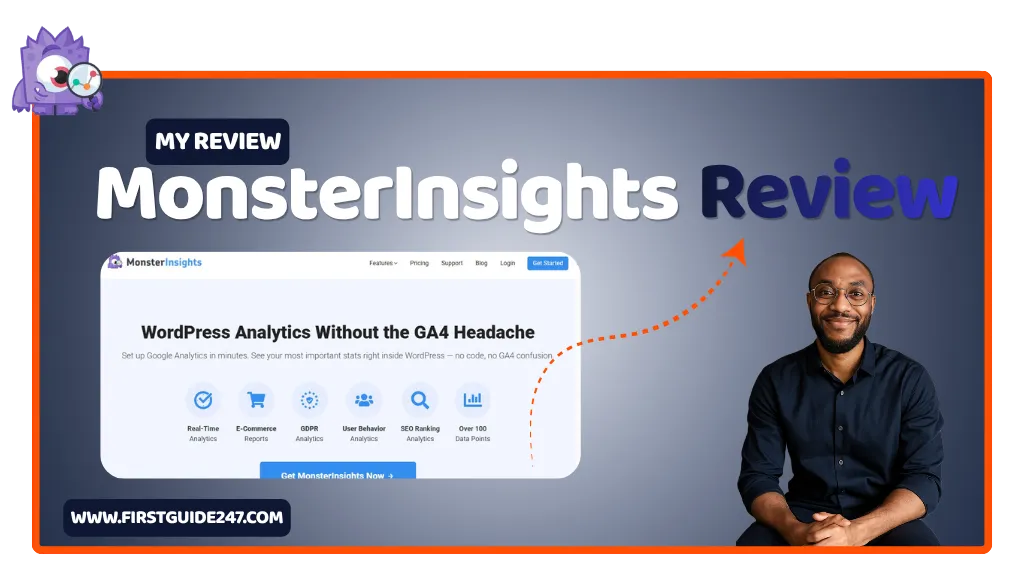
That’s where MonsterInsights comes in to help.
Instead of drowning in complex reports, it gives you the numbers that matter more right inside your WordPress dashboard. So you can make smarter decisions without second-guessing everything that’s happening.
This is not a sponsored review, but as always. I only review tools I genuinely use and trust. MonsterInsights is one of them am currently using at First Guide 247.
What Is MonsterInsights?
MonsterInsights is a WordPress plugin that connects your website to Google Analytics and brings all your key data directly into your dashboard. All of these are done without any stress.
Instead of logging into multiple platforms and trying to make sense of the numbers. You get everything in one place like:
- Traffic stats
- Top-performing pages
- User behavior insights
- Conversion tracking
- eCommerce performance
And the best part?. It’s built for humans to understand, not data scientists.
Do you want this tool?
Getting Started: Free vs Pro Version
MonsterInsights offers both a free and premium version.
- Lite (Free): is for Basic tracking and reports. Good for beginners.
- Plus: Enhanced tracking, affiliate link tracking, and more detailed reports.
- Pro: Advanced features like eCommerce tracking, form conversions, and user journey insights.
- Agency: Built for developers and agencies managing multiple websites.
Setup is surprisingly simple. Install the plugin, connect your Google account, and you’re done in minutes.
No coding and gives you no headaches.
The Dashboard: Your Website at a Glance
Once connected, MonsterInsights adds a clean analytics dashboard inside your WordPress.
Here’s what you’ll see:
- Sessions & Pageviews: How many people are visiting your site
- Top Pages: What content is driving traffic
- Referral Sources: Where your visitors are coming from
- Device Breakdown: Mobile vs desktop performance
Everything is visual. No clutter and no guesswork.
You don’t need to “learn analytics”. It just makes you just understand it better.
Real-Time Stats: See What’s Happening Right Now
One feature I personally check more than I should is the real-time report.
You can instantly see:
- Who’s on your website right now
- Which pages they’re viewing
- Where they came from
It’s especially useful when you publish a new post or run a campaign. You get immediate feedback instead of waiting for hours.
eCommerce & Conversion Tracking
If you run an online store or sell anything on your website, this is where MonsterInsights really shines.
It integrates with platforms like:
- WooCommerce
- Easy Digital Downloads
You can track:
- Revenue
- Conversion rates
- Top-selling products
- Customer behavior
And unlike default analytics setups, you don’t need to configure complex tracking scripts.
It just works for you easily.
Affiliate Link & Outbound Tracking
If you make money through affiliate marketing (like I do), this feature alone is worth it.
MonsterInsights automatically tracks:
- Affiliate link clicks
- Outbound links
- Banner performance
So instead of guessing what’s working, you know exactly which links are bringing in revenue for your website.
User Behavior: Understand What Visitors Actually Do
Numbers are one thing, but behavior is everything.
MonsterInsights helps you understand:
- How long people stay on your website
- Where they click
- Which pages keep them engaged
- Where they drop off
That’s the kind of data that helps you improve content, not just measure it.
Site Speed & Performance Insights
A slow website kills rankings both on Google and in AI-generated results.
MonsterInsights includes basic website speed reports so you can quickly spot performance issues and fix them before they hurt your website traffic.
Who Is MonsterInsights For?
MonsterInsights is ideal for:
- Bloggers who want simple, clear analytics
- Affiliate marketers tracking clicks and conversions
- Small business owners who don’t understand Google Analytics
- WordPress users who want everything in one place
If you’ve ever opened Google Analytics and felt lost. This plugin is the perfect match for you.
My Experience After 10 Years of Blogging
I have used just about every analytics tool out there.
Most of them are powerful but they are also overwhelming.
MonsterInsights hits a sweet spot. It gives you the data that actually matters without burying you in reports you’ll never use.
It’s not trying to replace Google Analytics. it’s making it very usable.
And honestly, that’s what most website owners need.
PROS
Extremely easy to set up and use
Brings Google Analytics into WordPress
Excellent for beginners and non-technical users
Built-in affiliate and conversion tracking
Clean, readable reports
CONS
Advanced features require the Pro version
Not as deep as raw Google Analytics for power users
Some reports are simplified (which can be limiting for analysts)
Related Reviews You Should Read
If you’re building or growing a website, these tools pair well with MonsterInsights:
- Canva Review (Design for content and branding)
- Elementor One Review (Website building made easy)
- Mailchimp Review (Email marketing and automation)
Each one solves a different piece of the puzzle.
My Summary on MonsterInsights
MonsterInsights isn’t trying to be the most advanced analytics platform in the world.
It’s trying to be the one you’ll actually make use of.
And in today’s fast-changing web. Where traffic is harder to earn and attention is shorter, clarity beats complexity every time.
If you want to understand your audience, improve your content, and make smarter decisions without getting lost in data. MonsterInsights is a solid choice for you.
If you have any questions about this review or want to know if MonsterInsights is right for your website, drop a comment below. I’ll be happy to help you out.