
The way we create content online isn’t what it used to be. It’s faster, more competitive, and honestly a lot less forgiving. If your workflow is slow or your ideas take too long to execute, you fall behind and your content get buried quickly. It’s simple as that.
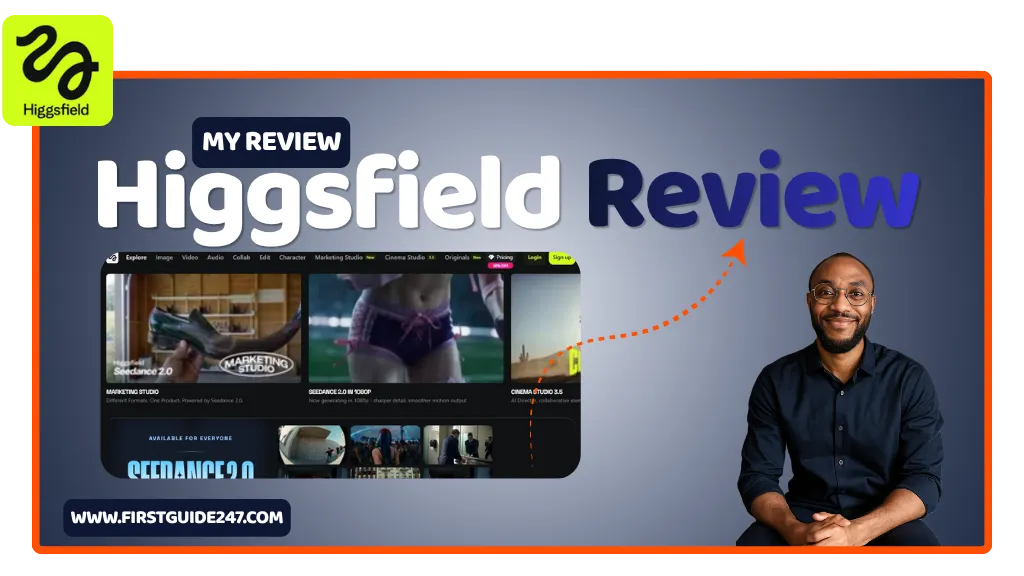
That’s where tools like Higgsfield AI can help you.
Instead of you juggling multiple apps for ideation, creation, and refinement. Higgsfield AI positions itself as a single environment where you can go from raw idea to polished output without friction. I have spent some time putting it through real-world use, and in this review. I’ll break down exactly where it shines and where it still needs work.
What Is Higgsfield AI?
Higgsfield AI is a creative AI platform built to help you generate, refine, and scale content faster. Think of it as a hybrid between a writing assistant, idea generator, and workflow optimizer.
It’s not trying to be just another “AI writer.” The focus here is more on structured creativity. It goal is helping you move from concept to execution in a way that actually makes sense for real projects.
Depending on how you use it, it can support:
- Blog writing
- Content ideation
- Marketing copy
- Structured outlines
- Creative brainstorming
The key idea is simple: reduce friction between thinking and publishing.
Do you want this tool?
Getting Started: First Impressions
One thing I always look for in tools like this is how quickly you can get into flow.
With Higgsfield AI, the onboarding is relatively straightforward. You’re not buried under 50 different dashboards from day one. Instead, you’re guided toward actually creating something.
That’s a big plus for me.
You can start with a prompt or an idea. The platform helps you expand it into something usable, not just raw output, but something you can shape and refine.
It feels less like “press button, get content” and more like collaborating with a system that nudges your thinking forward.
Core Features That Stand Out
1. Idea Expansion That Actually Makes Sense
A lot of tools generate content, but very few help you think better.
Higgsfield AI does a decent job at taking a rough idea and expanding it into:
- Structured outlines
- Talking points
- Content angles
This is especially useful when you hit that wall where you know what you want to say, but not how to structure it.
2. Structured Content Generation
Instead of dumping a long block of text, the platform tends to break things down into logical sections.
That matters more than people even know.
When you’re writing blog posts, landing pages, or even scripts, structure is half the work. Higgsfield AI leans into that by organizing output in a way that’s easier to edit and publish.
3. Workflow-Oriented Approach
This is where it separates itself from basic AI creation tools.
Rather than treating content as a one-step process, Higgsfield AI supports a more realistic flow:
- Idea
- Expansion
- Structuring
- Refinement
That might sound simple, but it’s closer to how experienced creators actually work.
4. Versatility Across Use Cases
I tested it across different scenarios, like quick copy generation, and idea brainstorming.
It holds up reasonably well across.
That said, it’s strongest when you use it for:
- Content planning
- Idea development
If you expect perfect, ready-to-publish content every time, you’ll still need to step in and edit. But that’s true for every tool in this space.
Where Higgsfield AI Feels Different
Most AI tools try to impress you with volume.
Higgsfield AI leans more toward direction.
It’s less about flooding you with text and more about helping you move forward without getting stuck. That’s a subtle difference, but if you’ve been creating content for years, you’ll notice it immediately.
Who Is Higgsfield AI For?
From what I’ve seen, this tool fits best if you’re:
- A blogger who needs help structuring videos faster
- A content creator juggling multiple ideas at once
- A marketer looking to speed up ideation and drafts
- Someone who struggles more with starting than finishing
If your biggest bottleneck is turning ideas into structured content, this tool will feel useful.
PROS
Helps turn rough ideas into structured content quickly
Clean, focused workflow (not overly cluttered)
Good for brainstorming and outlining
Encourages a more natural content creation process
Flexible across different types of content
CONS
Output still needs human editing (no surprise there)
Not as deep in advanced customization as some competitors
Can feel limited if you’re looking for highly technical writing
You’ll get more value if you already understand content creation basics
My Honest Take After Testing
Higgsfield AI isn’t trying to replace your thinking and that’s a good thing.
It works best as a thinking partner, not a shortcut.
If you go in expecting instant, perfect content, you’ll be disappointed. Trust me on that. But if you use it to speed up your process and remove friction, it does the job well.
Personally, I see it as a tool I’d keep open when planning or structuring content. But not necessarily when polishing the final draft.
Other Reviews You Should Read
If you’re exploring tools in this space, you might also want to check out:
- ElevenLabs: Great for voiceovers and audio content
- Elementor: Ideal for designing pages visually without code
Each of these complements a different part of the content creation and publishing workflow.
My Final Thoughts on Higgsfield AI
Higgsfield AI sits in an interesting spot.
It’s not the flashiest tool out there, and it doesn’t try to overwhelm you with features. Instead, it focuses on helping you move from idea to to creation. Which, in my experience, is where most people get stuck.
And that alone makes it worth paying attention to.
My Question to You
If you’ve tried Higgsfield AI, I’d like to hear your experience.
Leave a rating and share your thoughts and if you have any questions about the tool or how to use it effectively, drop them in the comments. I’ll be happy to help.