
The web is shifting faster than most people realize. These days, it’s not just about having a website anymore. It’s about having a system that can actually sell. Whether traffic comes from Google, social media, or even AI-driven platforms. One thing still remains constant: if your website can’t convert visitors into customers, you’re leaving money on the table.
That’s where WooCommerce in WordPress comes in.
I have used just about every eCommerce solution out there. Some are sleek but limiting. Others are powerful but complicated. WooCommerce sits in a quite unique spot. It’s flexible, scalable, and when used right, incredibly powerful.
But is WooCommerce still worth using in 2026?
Let me show you now.
What Is WooCommerce?
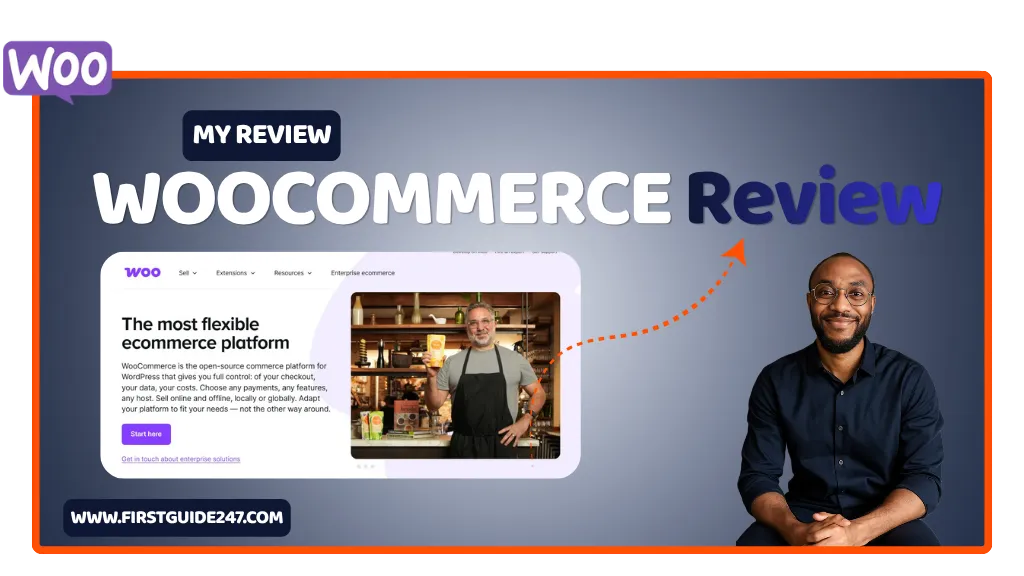
WooCommerce is a free eCommerce plugin built specifically for WordPress. It turns a regular WordPress website into a fully functional online store.
And I don’t mean a basic store, I mean:
- Physical products
- Digital downloads
- Subscriptions
- Bookings
- Memberships and so on.
You name it.
What makes WooCommerce stand out is control. Unlike hosted platforms, you’re not boxed into someone else’s system. You own everything your data, your design, your customer experience.
That’s a big deal right there.
Getting Started With WooCommerce
Setting up WooCommerce is straightforward. But it’s not “one-click magic” like some hosted platforms out there.
Here’s the typical flow:
- Install WordPress
- Install WooCommerce
- Follow the setup wizard
- Add your products
- Configure payments and shipping
The setup wizard does a decent job guiding you, but let me be honest to you. Your experience depends on your familiarity with WordPress.
If you’re new, expect a bit of a learning curve.
If you’ve used WordPress before, you’ll feel just right at home.
The Dashboard: Where Everything Happens
Once installed, WooCommerce integrates directly into your WordPress dashboard.
From there, you can manage:
- Orders
- Products
- Customers
- Coupons
- Reports
Everything is centralized, which I like very much.
You’re not jumping between tools or dashboards. It’s all in one place.
And because it’s WordPress underneath, you also get access to:
- Thousands of themes
- Plugins for SEO, speed, and security
- Full customization that suits your needs
That combination is very hard to beat.
Customization: WooCommerce’s Biggest Strength
This is where WooCommerce really shines.
You can customize almost everything:
- Product pages
- Checkout flow
- Emails
- Payment methods
- Shipping logic
Want to sell in Naira with custom delivery zones in the United States or Nigeria? Very Easy.
Want to add Stripe, Paystack or Flutterwave? Done.
Want a completely custom checkout experience? Go for it.
With the right plugins, WooCommerce becomes whatever you need it to be.
That flexibility is why serious businesses stick with it long-term.
Payments and Integrations
WooCommerce supports a wide range of payment gateways out of the box and through extensions.
Popular options include:
- PayPal
- Stripe
- Other gateways (like Paystack, Flutterwave)
This is especially important if you’re operating in regions like Nigeria or the United States, where local payment solutions matter.
You’re not locked into one system, you choose what works for your audience.
Performance and Scalability
Let’s be real here, WooCommerce can be fast, but it depends on how you set it up.
Out of the box, it’s very decent. When optimized properly, it’s very powerful.
Performance depends on:
- Your hosting
- Your theme
- Your plugins
- Your optimization setup
I have seen WooCommerce stores handle thousands of products and high traffic without issues but only when built correctly.
If you go in blindly and install 20 random plugins, you will run into problems.
SEO Advantage (This One Matters)
Because WooCommerce runs on WordPress, you get one huge advantage: SEO control.
With plugins like Yoast, All-in-One-SEO or Rank Math, you can optimize:
- Product pages
- Category pages
- Blog content
- Metadata
- Schema
This is something many hosted platforms struggle with.
If organic traffic is part of your strategy (and it should be), WooCommerce gives you the tools to compete.
WooCommerce Pricing: Is It Really Free?
Technically, yes WooCommerce itself is free to use.
But running a serious online store isn’t.
Here’s what you will likely pay for:
- Hosting
- Premium theme (optional but recommended)
- Paid plugins/extensions
- Payment processing fees
So while WooCommerce is “free,” your total cost depends on how advanced your store is.
Still, compared to monthly subscription platforms. It can be more cost-effective long-term.
Who Is WooCommerce Best For?
WooCommerce is a strong choice if you are:
- A blogger turning content into income
- A small business owner selling products online
- A freelancer building client stores
- An entrepreneur who wants full control of your website
It’s not ideal if you want a “set it and forget it” system with zero setup.
But if you’re willing to learn or already know WordPress. It’s one of the most powerful options available.
PROS
Supports local and global payment systems
Free and open-source
Full control over your store
Highly customizable
Massive plugin ecosystem
Strong SEO capabilities
Scales with your business
CONS
Setup takes more time compared to hosted platforms
Learning curve for beginners
Costs can add up with premium plugins
Too many plugins can slow your website
Requires proper hosting and optimization
My Final Own Opinion
WooCommerce isn’t perfect, but it’s still one of the most reliable ways to build a serious online store.
What I like most is this: it grows with you. That’s WooCommerce biggest strength .
You can start small, test ideas, and expand without switching platforms later. That alone saves time, money, and stress down the road.
If you’re serious about building an online business and not just experimenting. WooCommerce is absolutely worth it.
This is a Question For You
Have you used WooCommerce before?. I would like to hear your experience.
Leave a rating and share your thoughts or ask any questions you have about setting it up. I will be happy to help you figure things out.