
The way we build websites is changing really fast.
The web is changing fast. When you search for something today on google. The first result is often an AI-generated answer not a traditional website you normally see. That means fewer clicks, less organic traffic, and a growing pressure on your website to not just exist. But to stand out instantly.
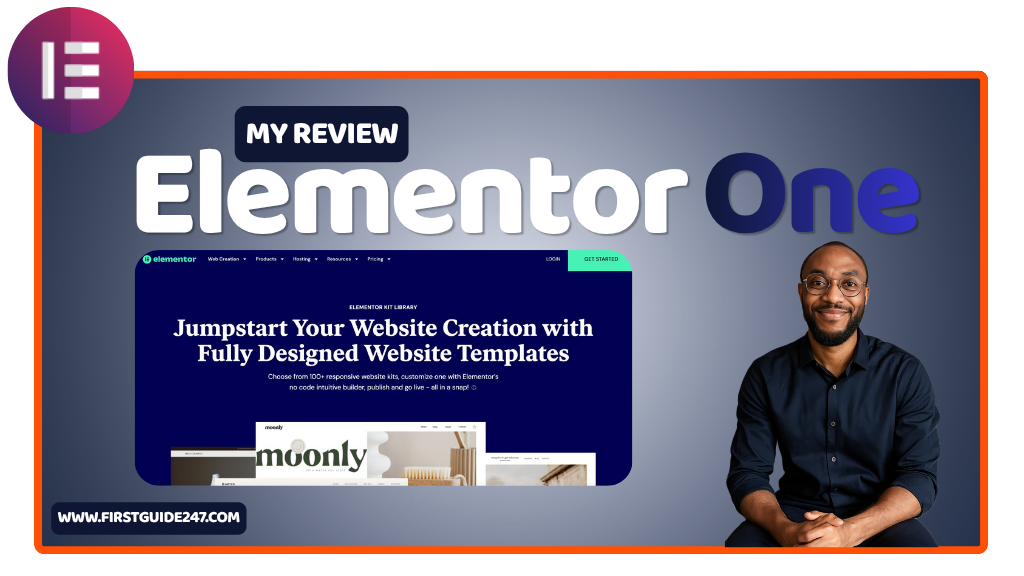
That’s where Elementor One comes in.
This is not a sponsored recommendation, but as always, I only talk about tools I actually use and trust. And after spending time testing Elementor One, I can tell you this. It’s not just another page builder upgrade. It’s Elementor trying to redefine how websites are built, hosted, and managed all in one place.
Let me break it down slowly for you.
What Is Elementor One?
Elementor One is Elementor’s attempt to move beyond just being a WordPress plugin and become a full website ecosystem.
Instead of juggling hosting, themes, plugins, and performance tools separately. Elementor One bundles everything together for you:
- Website builder (drag-and-drop editor)
- Managed hosting
- AI tools for design and content
- Performance optimization
- Security and backups
- Premium templates and widgets
In simple terms, it’s designed to give you everything you need to launch and grow a website, without the usual technical headaches.
And honestly, that’s the direction the web development industry is heading.
Getting Started: Simpler Than Traditional WordPress
Normally, setting up a WordPress website involves multiple steps. Like buying hosting, installing WordPress, configuring themes, adding plugins.
Elementor One cuts through all of that.
You sign up, and within minutes, you’re inside a ready-to-go environment. Hosting is already configured in your elementor hosting. WordPress and elementor are pre-installed.
From there, you can:
- Start from a blank canvas
- Import a pre-built template
- Or let AI generate a layout for you
It’s clean, fast and most importantly beginner-friendly without feeling limited in anyway.
The Editor: Still Elementor, But Smarter
If you’ve used Elementor before. This will feel familiar to you and that’s a good thing.
The drag-and-drop editor is still one of the best in the game:
- Real-time visual editing
- Inline text editing
- Responsive controls (desktop, tablet, mobile)
- Advanced styling and animations
But Elementor One adds a layer of intelligence on top.
The AI features can:
- Generate sections and layouts
- Write copy directly inside your page
- Suggest improvements to structure and design
It doesn’t replace your creativity, but it speeds things up in a way that’s hard to ignore.
Hosting & Performance: Built-In, Not Bolted On
This is where Elementor One separates itself from the traditional setup.
Instead of relying on third-party hosting, it comes with managed cloud hosting built in.
This is what you get:
- Fast loading speeds (thanks to CDN integration)
- Automatic backups
- Built-in caching
- SSL security
- Reliable uptime monitoring
For beginners, this removes a huge barrier for you.
For experienced users, it saves time. No more tweaking hosting settings or chasing performance issues across different platforms.
AI Tools: Is Helpful, But Not Magic
Elementor One leans heavily into AI and it’s for good reason.
You can use it to:
- Generate text content
- Create layout structures
- Build entire pages from prompts
- Translate and refine copy
But here’s the honest truth you might not want to hear.
It’s helpful, but is still not perfect.
The AI gives you a strong starting point. But you’ll still need to tweak things to match your voice and brand. If you rely on it blindly, your website will feel more generic.
When used properly, it gives a serious productivity boost.
Templates & Widgets: Still One of Elementor’s Biggest Strengths
You’re not starting from scratch unless you decide to.
Elementor One gives you access to:
- Professionally designed templates
- Pre-built sections
- Advanced widgets (forms, sliders, pricing tables, etc.)
In recent years this is where Elementor has always been strong and that hasn’t changed.
You can go from idea to live page in hours, not days.
Who Is Elementor One For?
Elementor One isn’t trying to be everything for everyone but it does cover a wide range of WordPress users.
It’s ideal for:
- Bloggers who want full control over design
- Small business owners who need a simple setup
- Freelancers building client websites
- Creators who don’t want to deal with technical complexity
If you’ve ever felt overwhelmed setting up WordPress the “traditional” way. This will feel like a breath of fresh air for you.
The Imperfections
No tool or software is perfect and Elementor One has its share of rough edges.
- The pricing can feel high compared to DIY setups
- Less flexibility than managing your own hosting stack
- AI features still need manual refinement from you
- You’re more locked into the Elementor ecosystem.
None of these above are deal-breakers, but they’re worth knowing upfront.
PROS
All-in-one solution (builder + hosting + performance)
Beginner-friendly setup
Powerful visual editor
Built-in AI tools for speed
Strong template and widget library
CONS
Higher cost than piecing things together yourself
Limited control compared to custom hosting setups
AI isn’t a full replacement for real content strategy
My Final Thoughts: Is Elementor One Worth It?
To me elementor One is clearly built for where the web is going not where it used to be.
It simplifies the entire website creation process into one streamlined platform. You don’t need patchwork and no unnecessary complexity.
But it comes with a trade-off though. It gives convenience over full control.
If you’re someone who wants everything handled in one place and values speed, simplicity, and modern tools. Elementor One it’s absolutely worth it.
If you prefer total control and don’t mind managing multiple tools, you might feel a bit constrained using it.
That’s my honest take.
If you have any questions about Elementor One or you’re trying to decide if it’s right for your setup, contact me directly. I’ll be happy to help you figure it out.
Thanks for reading and don’t forget to rate this review.